Studies
Metropolia's IT Master's Program includes two separate study paths (separate application options): Networks and Services and Medical Technology.
The Medical Technology study path focuses on medical devices. Medical devices include various imaging devices, patient monitors, software for medical purposes, and clinical decision support systems that utilize artificial intelligence.
The studies focus on medical devices, medical device regulation and standards, artificial intelligence applications, and the development of new innovations for healthcare.
The studies provide up-to-date knowledge and skills for working with medical devices in companies and in the public sector.
Who are the studies intended for
The medical technology study path is suitable e.g. for professionals with a bachelor or master’s degree in information and communication technology, biomedical engineering, wellness and health technology, healthcare information technology, automation, electronics, electrical engineering, industrial management, and business administration.
Healthcare professionals with a bachelor's or master’s degree in healthcare who want to deepen their expertise in the field of medical technology are also welcome, in this case, you need to have 30 ECTS of suitable IT studies to be qualified as applicant for the program. There is a study module tailored for this purpose: Open UAS: Prerequisite Studies IT Master’s Medical Technology 2027.
You can find out more information about the content of the studies and the application process from Studyinfo.
Flexible studying
The program's students come from many different countries, and the studies are conducted in English. The program includes professional courses (30 credits) and a thesis (30 credits).
The courses consist of lectures, various individual and group exercises, and independent study.
Lectures and workshops are held at Metropolia's Myllypuro campus in Helsinki on Fridays (autumn 2026: weeks 34–50 and spring 2027: weeks 3–19). Most of the studying is done independently online.
It is possible to complete the studies in one academic year.
Applied research and development
The thesis is a key part of the studies. The thesis is based on an applied research or development project that focuses on solving real-life challenges. The topic is defined at the beginning of the studies and may
- be part of a working life development project,
- be related to Metropolia’s applied research project (e.g. Digital scribes), or
- be inspired by the student's own professional interests or career goals.
Research project: Digital scribes
Healthcare documentation takes a lot of time. For example, in one Finnish wellbeing services county, it has been estimated that documentation takes 5–30 minutes per healthcare visit and that saving one minute could reduce the workload by 20 working years in that wellbeing services county.
A digital scribe is a virtual assistant that uses artificial intelligence to support healthcare professionals in their clinical documentation.
The digital scribe uses speech recognition and natural language processing to document conversations between doctors and patients or nurses and patients. The digital scribe can use clinical documentation and conversations to create a summary or recommendation, for example.
Digital scribes are currently a topic of great interest in research around the world due to their enormous potential benefits in healthcare.
Here are some examples of theses produced in the project:
- Chowdhury, Mohammed Nowshad Ruhani, 2025, Using Open Source LLM Model for Medical Transcription
- Nazrul Kabir, 2025, Adapting Open-Source LLMs for Finnish Digital Scribe Systems: A Performance Evaluation
Applied research related to digital scribes continues. Will you be the next thesis writer in the project.
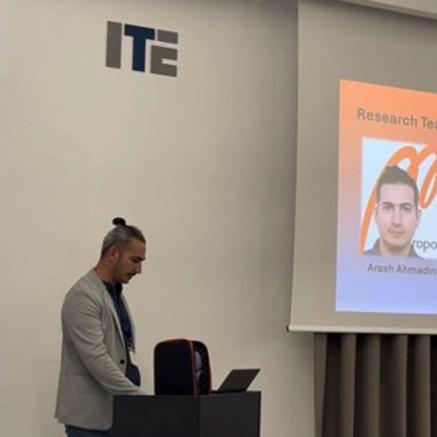
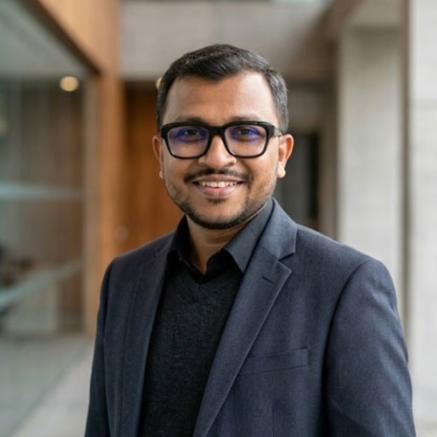
Experiences of graduates



Scholarships and tuition fees
The tuition fees concern students who are not citizens of EU/EEA countries. Students pay annual tuition fees based on their study right. The payment obligation concerns all the academic terms during which a student is registered as attending.
Annual tuition fee
- 11 500 € for non-EU/EEA degree students, whose right of study starts after 31 July 2024
- 12 500 € for non-EU/EEA degree students, whose right of study starts after 31 July 2027.
This fee applies only to non-EU/EEA degree students.
If you have any questions about studying medical technology or the application process, please don't hesitate to contact
Applying
- Application period-Start of studiesautumn 2026Apply now!
- Technology
The Application on the Basis of Metropolia’s Open UAS Studies is aimed at those who have completed studies not leading to a degree at Metropolia University of Applied Sciences. Those applying for a master’s degree are, however, required also to have a separate required basic education and work experience that gives them eligibility to apply.
Application period: 4 May 2026 8:00 am - 31 October 2026 3:00 pm, all times refer to local time in Finland.
In flexible admission (i.e. rolling admission) the study places are filled in the order in which applications are received, so that all applicants who meet all the student selection requirements are accepted on a first-come, first-served basis until the application ends or the study places are filled.All the information needed to apply can be found on the national Studyinfo.fi portal. At Studyinfo.fi you can find descriptions of degree programmes, application criteria, application instructions, application forms and much more.
Note: Many degree programmes accept applications on a continuous basis. However, applicants who are required to pay tuition fees should carefully consider the timing of their application. In most cases, it is not advisable to begin studies in the middle of a term (either autumn or spring), as tuition fees cannot be paid for only part of the term. For this reason, it is generally best to apply well in advance of the start of the term, so that studies can commence from the very beginning.
Application fee
Applicants who are not citizens of the EU, EEA or Switzerland are required to pay an application fee in order to apply to higher education studies. The application fee of 100 euros is collected for applicants from countries outside EU/EEA seeking education leading to a degree in higher education. The Finnish National Agency of Education will collect the application fee in connection with filling in the Studyinfo application form. There is no application fee for Finnish or EU citizens.
The application fee does not guarantee that you will be offered admission to studies. The application fee is not refunded if you cancel your application or are not offered admission.
More about application fee in Studyinfo.fi.
Questions about application fees? Contact applicationfee [at] oph.fi (applicationfee[at]oph[dot]fi) - Application period-Start of studiesautumn 2026Apply now!
- Technology
The Application on the Basis of Finnish Higher Education Studies is aimed at those who have completed higher education studies in Finland. The completed studies must be accreditable to the degree programme to which you are applying in accordance with the curriculum of the degree programme. When applying for a master's degree, your studies must in principle be from the corresponding level (master’s degree / EQF7 level). Read the selection criteria; the required credit points (ECTS) and other possible threshold conditions are mentioned in the student selection criteria on Studyinfo. Studies are taken into account regardless of whether they have been completed as open studies or in education leading to a degree, or whether the right to study is valid or has expired.
Application period: 4 May 2026 8:00 am - 31 October 2026, all times refer to local time in Finland.
In flexible admission (i.e. rolling admission) the study places are filled in the order in which applications are received, so that all applicants who meet all the student selection requirements are accepted on a first-come, first-served basis until the application ends or the study places are filled.
All the information needed to apply can be found on the national Studyinfo.fi portal. At Studyinfo.fi you can find descriptions of degree programmes, application criteria, application instructions, application forms and much more.
Note: Many degree programmes accept applications on a continuous basis. However, applicants who are required to pay tuition fees should carefully consider the timing of their application. In most cases, it is not advisable to begin studies in the middle of a term (either autumn or spring), as tuition fees cannot be paid for only part of the term. For this reason, it is generally best to apply well in advance of the start of the term, so that studies can commence from the very beginning.
Application fee
There is an application fee of 100 euros. The application fee is collected for applicants from countries outside EU/EEA seeking education leading to a degree in higher education. The Finnish National Agency of Education will collect the application fee in connection with filling in the Studyinfo application form. There is no application fee for Finnish or EU citizens.
More about application fee in Studyinfo.fi.
Questions about application fees? Contact applicationfee [at] oph.fi (applicationfee[at]oph[dot]fi)The application fee does not guarantee that you will be offered admission to studies. The application fee is not refunded if you cancel your application or are not offered admission.
- Application period-Start of studiesspring 2027
- Technology
The transfer application is aimed at all students enrolled in studies leading to a Finnish higher education degree and:
- who wish to transfer their study rights from one Finnish higher education institution to Metropolia so that the degree title remains the same or changes
OR - who wish to transfer their study rights within Metropolia from one degree programme to another, so that the degree title changes.
Students transferring within Metropolia in such a way that the degree title remains the same, are not considered as "transfer students" and have their own separate application procedure available on Metropolia's Students' Guide. Please note that it is not possible to transfer from abroad.
Students applying for a transfer should note that their maximum study period or the period for which they are entitled to receive student financial aid will not be extended due to the transfer. The maximum study period is calculated from the date on which the student accepted the study place in the previous higher education institution.
All the information needed to apply can be found on the national Studyinfo.fi portal. At Studyinfo.fi you can find descriptions of degree programmes, application criteria, application instructions, application forms and much more.
Application fee
Applicants who are not citizens of the EU, EEA or Switzerland are required to pay an application fee in order to apply to higher education studies. The application fee of 100 euros is collected for applicants from countries outside EU/EEA seeking education leading to a degree in higher education. The Finnish National Agency of Education will collect the application fee in connection with filling in the Studyinfo application form. There is no application fee for Finnish or EU citizens.
The application fee does not guarantee that you will be offered admission to studies. The application fee is not refunded if you cancel your application or are not offered admission.
More about application fee in Studyinfo.fi.
Questions about application fees? Contact applicationfee [at] oph.fi (applicationfee[at]oph[dot]fi)One Study Right Rule
The One Study Right Rule refers to legislative amendments entering into force on 1 August 2026. Under these amendments, a student’s study rights at the same or lower level will be terminated if they accept a new study right leading to a degree. Transfer applications fall under the One Study Right Rule.
- Application period-Start of studiesspring 2027
- Technology
The Application on the Basis of Metropolia’s Open UAS Studies is aimed at those who have completed studies not leading to a degree at Metropolia University of Applied Sciences. Those applying for a master’s degree are, however, required also to have a separate required basic education and work experience that gives them eligibility to apply.
Application period: 2 November 2026 8:00 am - 30 April 2027 3:00 pm, all times refer to local time in Finland.
In flexible admission (i.e. rolling admission) the study places are filled in the order in which applications are received, so that all applicants who meet all the student selection requirements are accepted on a first-come, first-served basis until the application ends or the study places are filled.All the information needed to apply can be found on the national Studyinfo.fi portal. At Studyinfo.fi you can find descriptions of degree programmes, application criteria, application instructions, application forms and much more.
Note: Many degree programmes accept applications on a continuous basis. However, applicants who are required to pay tuition fees should carefully consider the timing of their application. In most cases, it is not advisable to begin studies in the middle of a term (either autumn or spring), as tuition fees cannot be paid for only part of the term. For this reason, it is generally best to apply well in advance of the start of the term, so that studies can commence from the very beginning.
Application fee
Applicants who are not citizens of the EU, EEA or Switzerland are required to pay an application fee in order to apply to higher education studies. The application fee of 100 euros is collected for applicants from countries outside EU/EEA seeking education leading to a degree in higher education. The Finnish National Agency of Education will collect the application fee in connection with filling in the Studyinfo application form. There is no application fee for Finnish or EU citizens.
The application fee does not guarantee that you will be offered admission to studies. The application fee is not refunded if you cancel your application or are not offered admission.
More about application fee in Studyinfo.fi.
Questions about application fees? Contact applicationfee [at] oph.fi (applicationfee[at]oph[dot]fi)The One Study Right Rule
The One Study Right Rule refers to legislative amendments entering into force on 1 August 2026. Under these amendments, a student’s study rights at the same or lower level will be terminated if they accept a new study right leading to a degree. The rule applies only to study rights at Finnish higher education institutions.
- Application period-Start of studiesspring 2027
- Technology
The Application on the Basis of Finnish Higher Education Studies is aimed at those who have completed higher education studies in Finland. The completed studies must be accreditable to the degree programme to which you are applying in accordance with the curriculum of the degree programme. When applying for a master's degree, your studies must in principle be from the corresponding level (master’s degree / EQF7 level). Read the selection criteria; the required credit points (ECTS) and other possible threshold conditions are mentioned in the student selection criteria on Studyinfo. Studies are taken into account regardless of whether they have been completed as open studies or in education leading to a degree, or whether the right to study is valid or has expired.
Application period: 2 November 2026 8:00 am - 30 April 2027, all times refer to local time in Finland.
In flexible admission (i.e. rolling admission) the study places are filled in the order in which applications are received, so that all applicants who meet all the student selection requirements are accepted on a first-come, first-served basis until the application ends or the study places are filled.
All the information needed to apply can be found on the national Studyinfo.fi portal. At Studyinfo.fi you can find descriptions of degree programmes, application criteria, application instructions, application forms and much more.
Note: Many degree programmes accept applications on a continuous basis. However, applicants who are required to pay tuition fees should carefully consider the timing of their application. In most cases, it is not advisable to begin studies in the middle of a term (either autumn or spring), as tuition fees cannot be paid for only part of the term. For this reason, it is generally best to apply well in advance of the start of the term, so that studies can commence from the very beginning.
Application fee
There is an application fee of 100 euros. The application fee is collected for applicants from countries outside EU/EEA seeking education leading to a degree in higher education. The Finnish National Agency of Education will collect the application fee in connection with filling in the Studyinfo application form. There is no application fee for Finnish or EU citizens.
More about application fee in Studyinfo.fi.
Questions about application fees? Contact applicationfee [at] oph.fi (applicationfee[at]oph[dot]fi)The application fee does not guarantee that you will be offered admission to studies. The application fee is not refunded if you cancel your application or are not offered admission.
The One Study Right Rule
The One Study Right Rule refers to legislative amendments entering into force on 1 August 2026. Under these amendments, a student’s study rights at the same or lower level will be terminated if they accept a new study right leading to a degree. The rule applies only to study rights at Finnish higher education institutions.
- Application period-Start of studiesautumn 2027
- Technology
Instructions for applying
In the spring 2027 Joint Application 1 to higher education, you can apply to degree programmes that start in the autumn of 2027. The application period starts on the 7 January 2027 at 8 am and ends on the 21 January 2027 at 3 pm (local time in Finland).
All the information needed to apply can be found on the national Studyinfo.fi portal. At Studyinfo.fi you can find descriptions of degree programmes, application criteria, application instructions, application forms and much more.
Application fee
Applicants who are not citizens of the EU, EEA or Switzerland are required to pay an application fee in order to apply to higher education studies. The application fee of 100 euros is collected for applicants from countries outside EU/EEA seeking education leading to a degree in higher education. The Finnish National Agency of Education will collect the application fee in connection with filling in the Studyinfo application form. There is no application fee for Finnish or EU citizens.
The application fee does not guarantee that you will be offered admission to studies. The application fee is not refunded if you cancel your application or are not offered admission.
More about application fee in Studyinfo.fi.
Questions about application fees? Contact applicationfee [at] oph.fi (applicationfee[at]oph[dot]fi)The One Study Right Rule
The One Study Right Rule refers to legislative amendments entered into force on 1 August 2026. Under these amendments, a student’s study rights at the same or lower level will be terminated if they accept a new study right leading to a degree. The rule applies only to study rights at Finnish higher education institutions.
Information Technology, Master’s Degree Programme
Medical Technology
Pre-assignment (max. 80 points)The pre-assignment is to be completed in a single document consisting of three parts (A, B and C).
The document to be returned shall be in .pdf format. Document shall be named as follows: Medtech2027_Applicant’sFirstSurname.pdf (for example: Medtech2027_SteveJohnson.pdf).
Note that ALL three parts of the assignment are mandatory. The pre-assignment needs to be written in English.
Add your name and date to document. The use of AI is forbidden.
PART A: Curriculum Vitae (max. 20 points)
The students selected for the programme need to have both academic knowledge and work experience.
Write your CV including both your educational and professional background. Note, the information given to the electrical online application is used only to verify that the applicant meets the general eligibility requirements. If you have done any studies, including relevant Master level courses, after your Bachelor studies, please include that information in CV as well. Use clear structure and sub-headings.
The length of the CV is max. 2 pages.
PART B: Motivation letter (max. 20 points)
Studying in Master’s programme requires that the student can actively participate in the studies including, in addition to lectures, independent study. High motivation is essential.
Write a motivation letter. Use clear structure.
The length of the letter is max. 2 pages.
PART C: Concept ideation (max. 40 points)
The development and applied research skills are important in this Master’s programme.
Let's consider a situation where you are a future enthusiastic startup entrepreneur who is eagerly wanting to develop medical device for practical need to European markets. See the definition of medical device from Article 2 (1) of EU MDR 2017/745 legislation.
Select one realistic problem from health care that could potentially be mitigated or solved with a medical device. Describe the selected health care environment, identify and contextualize the problem, specify the solution (medical device), define ideal outcome, and outline the key steps if this concept were to be implemented in practice. Use high-quality references to justify your choices. Give a title to the writing, use clear structure and sub-headings, and add list of references at the end.
The length of the concept is max. 3 pages.
In order to be considered for the student selection, you must fill in the joint application form at Studyinfo.fi during the application period 7 January - 21 January 2027. The pre-assignment must be submitted as an attachment to the electronic joint application form during the application period, by 21 January 2027 3:00 p.m. the latest (local time in Finland).
Pre-assignments for spring 2027 Joint Application 1 will be published by the beginning of the application period.In order to be considered for student selection, you must pass the degree programme's own entrance examination as described in Studyinfo.fi. Entrance exam invitations are sent approximately one week before the entrance exam by email to the email address provided by the applicant on the application form.
Useful links
More information on the application process
Tel. +358 9 7424 5902, Mon-Wed 10 am – 12 pm
Starting studies
First, read guidelines common to all Metropolia degree students and then degree specific instruction below.
How to start Medical Technology studies
Welcome to study to Medical Technology in Master’s Degree Programme in Information Technology!
Here is a brief overview of the things you need to consider before starting your Medical Technology studies. Please note that you must take these into account in addition to the General guidelines.
First day programme
The studies will start on Friday 21st of August at 9 am on Metropolia Myllypuro campus, classroom MPC5014. Information about Myllypuro campus.
You need a key card to move around campus. Information on How to get a key card.
It is highly recommended for all to come to hear the first day orientation, tour buildings and facilities.
If you cannot arrive to Finland on time, please contact mikael.soini [at] metropolia.fi (Mikael Soini).
General
Please activate your Metropolia user account before the studies start. It is needed to get access to course materials and to make communication possible. More information on Starting studies.
In Medical Technology courses are held on Fridays at Myllypuro campus. Schedule can be found from Tuudo mobile app.
The speed of the courses is relatively fast, and many topics include group work etc. done during lectures, so high degree of participation is recommended to facilitate academic progress.
After being admitted to the program, the contact point for official matters is the Student Services. Normally the study programme nor teachers cannot help in official matters. Please be careful with deadlines and all the instructions you get, in the summertime special arrangements are not likely to be done.
Have a nice summer and looking forward to seeing you in August!
Best Regards,
Mikael Soini
Principal Lecturer
mikael.soini [at] metropolia.fi (mikael[dot]soini[at]metropolia[dot]fi)